
Add a customer to interview
Put forward a happy customer and we will invite them and run the whole interview.
When you have a customer whose story you would love to tell, you put their name forward here. We take it from there: we invite them, find a time, run the interview, and hand the finished story back to you. The whole ask on your side is about two minutes.
Add a customer step by step
-
Open your dashboard
Sign in and go to Your customers. This is the first page you land on.
-
Click "+ Add a customer"
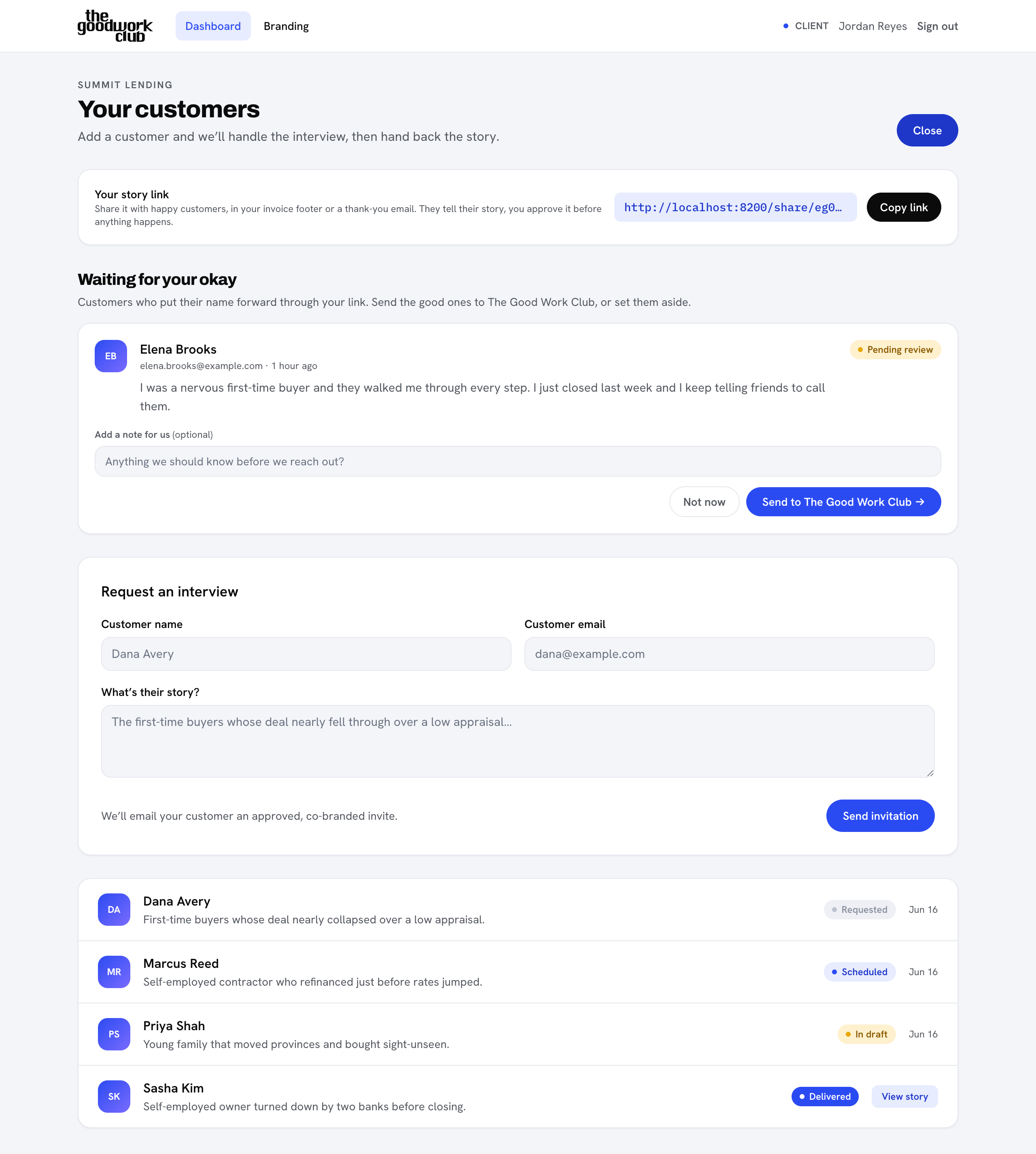
You will find the button in the top right. A short form titled Request an interview opens up.
-
Fill in their details
Add the customer's name and email, then write a sentence or two in What's their story? so we know why they are worth talking to. For example: "First-time buyers whose deal nearly fell through over a low appraisal."
-
Send the invitation
Click Send invitation. We email your customer a friendly, co-branded invite, and the interview appears in your list marked Requested.
What happens next
As soon as you send the invitation, three things happen on their own:
- Your customer gets an email inviting them to their own private page, branded as yours.
- Our team is notified and picks the interview up.
- The interview shows up in Your customers so you can follow its progress.
From here you do not need to chase anyone. We coordinate the time, run the call, write the story, and email you when it is ready. You can follow each stage on your dashboard at any time.
Prefer to let customers come to you?
If you would rather not add people one by one, you can share a link that lets happy customers put their own name forward. You stay in control and approve each one. See Collect stories with your share link.