
Collect stories with your share link
Drop one link in an invoice or thank-you email and let happy customers raise their hand.
Your story link is the easy way to gather customer stories without lifting a finger each time. Drop it somewhere your happy customers already look, and they can put their story forward whenever the moment feels right. You stay in control of what happens next: nothing moves until you say so.
Put your link where customers will see it
Copy the link and paste it anywhere a happy customer might notice it. Good spots include:
- An invoice footer
- A thank-you email
- An order confirmation
- Your email signature
What the customer sees
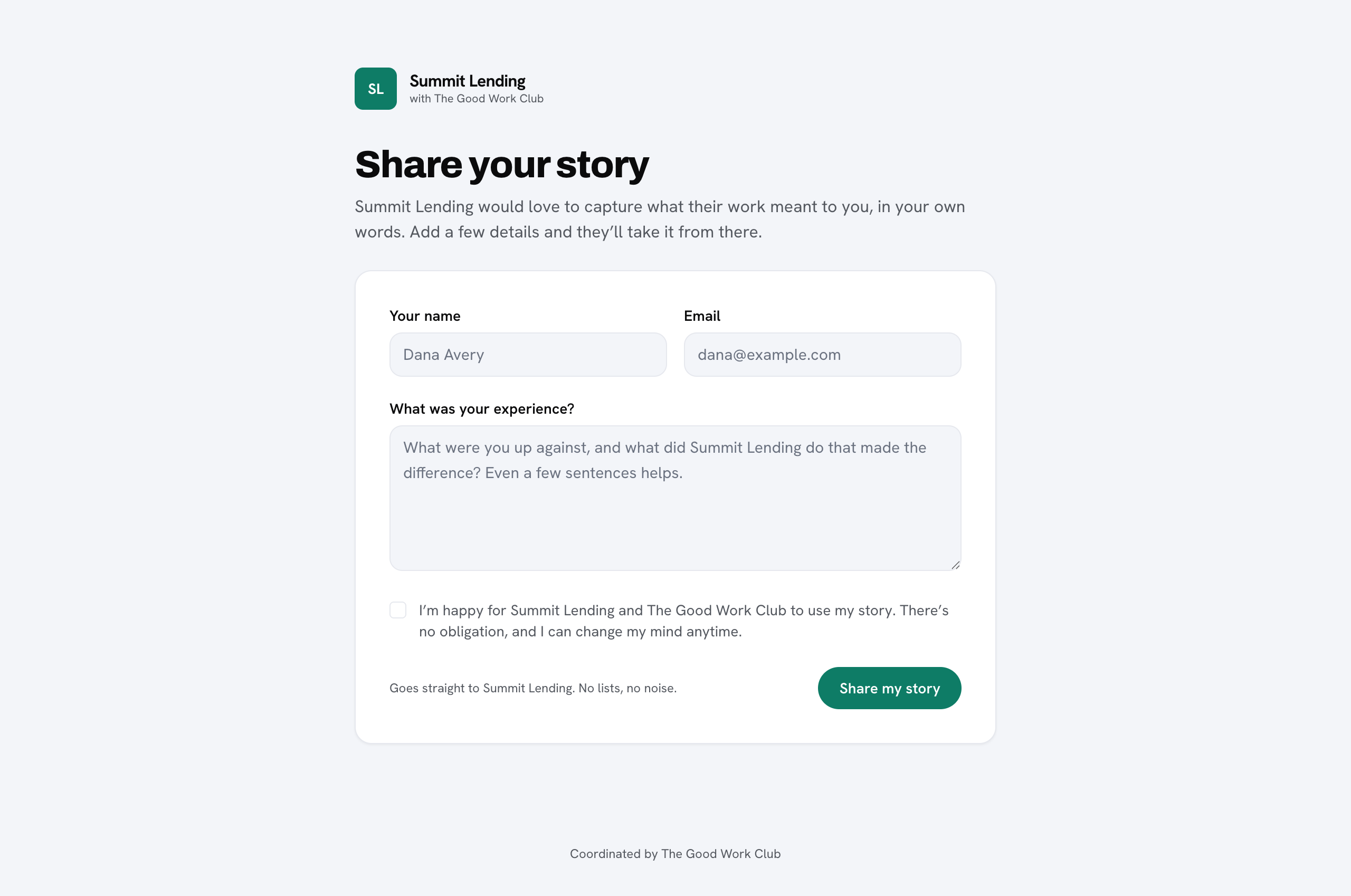
When a customer opens the link, they land on a short page branded as you, headed [Your brand] with The Good Work Club and titled Share your story. They enter their name, email, and a few sentences about their experience, tick a consent box, and submit. The page carries your branding throughout, so it feels like a natural part of working with you. You can read more about how that looks in branding.
What happens after they submit
You are notified by email, and the customer appears in Waiting for your okay on your dashboard. Nothing is sent onward and no interview begins until you approve it. The customer is not contacted automatically, so you decide which stories move forward.
That is the whole loop: share the link once, and stories come to you ready for a quick yes or no.